 TenutoWeb (Version 3) Tutorials
 Create a room
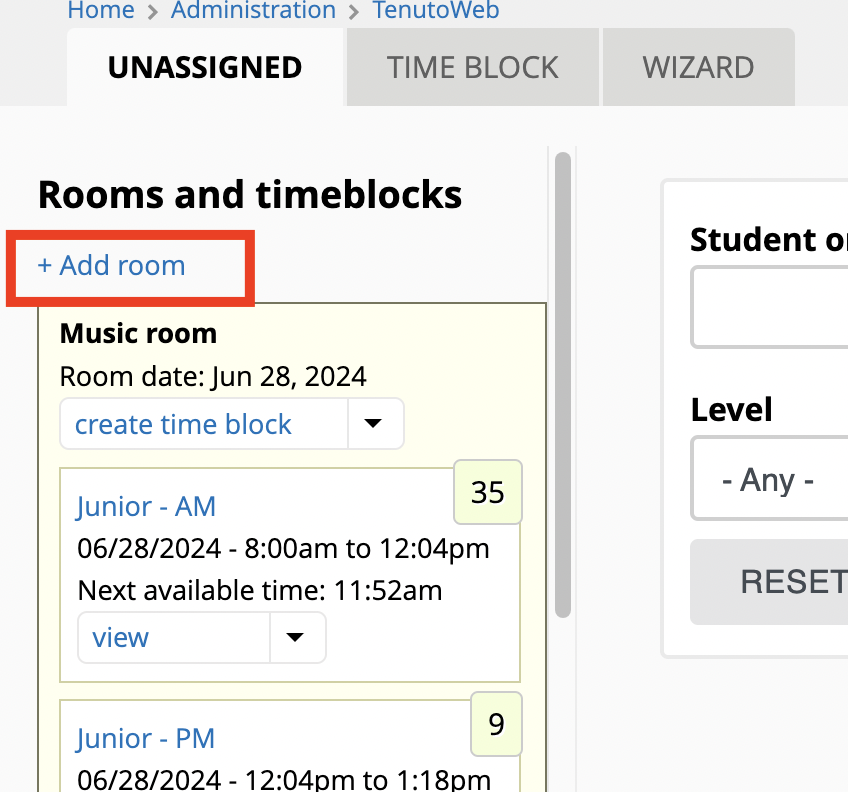
- Click Scheduling
- Click either Manual scheduling, or Scheduling wizard
- Click + Add room
Edit a room
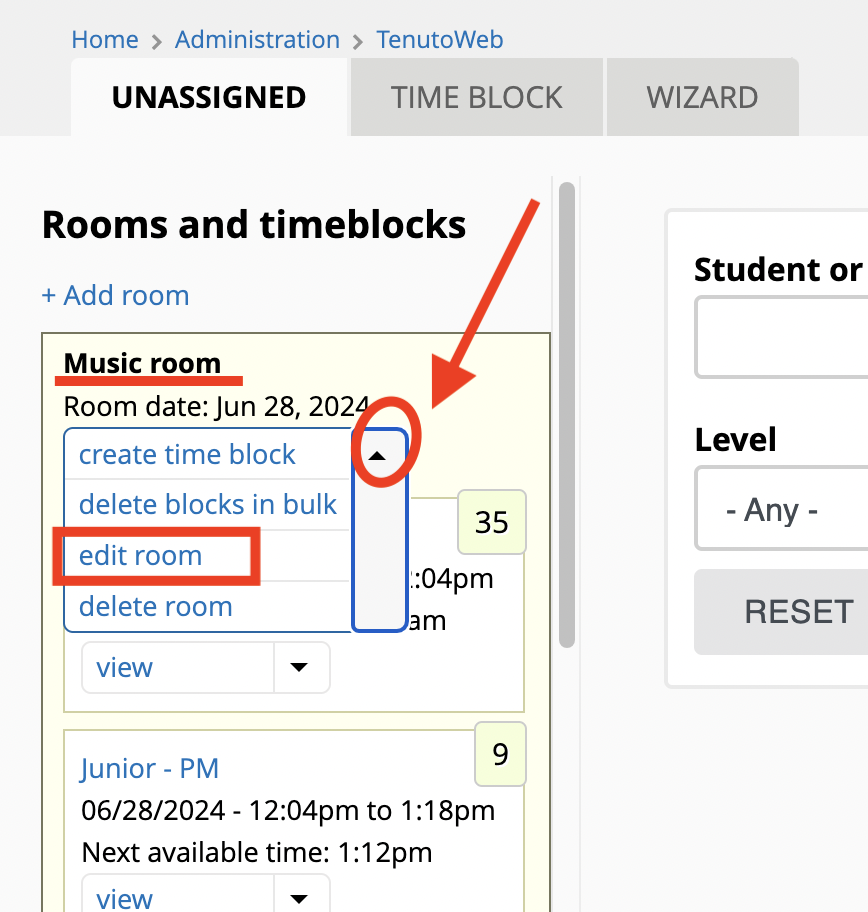
- Find the room as above
- Click little triangle of the dropbutton that reads create time block
- Select edit room
Delete a room
Note: rooms that contain time blocks cannot be deleted. Remove the time blocks first, then delete the room.
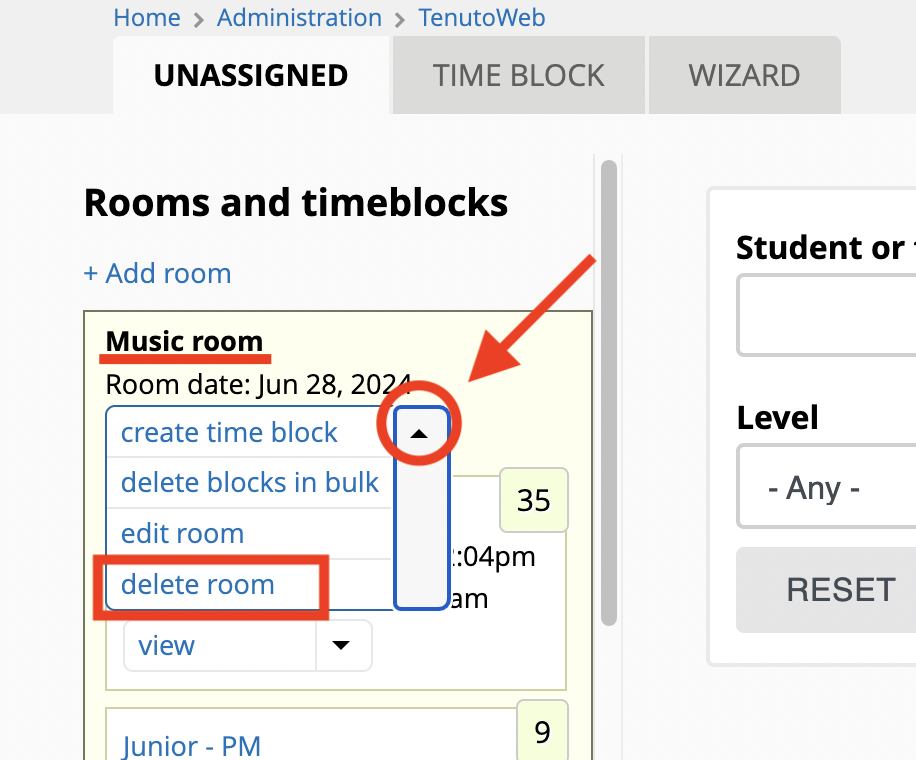
- Find the room as above
- Click the little triangle in the dropbutton that says create time block
- Click on delete room